
Rated 4.8/5 from 2,935 reviews
AI-Powered Neck Joint Service
The fastest way to create seamless ghost mannequin necklines
A neck joint service composites two separate photographs -- the front-facing mannequin shot and the interior neckline shot showing the inside collar, label, and back of the garment -- into a single seamless image that creates the hollow "floating" look at the collar area. This compositing step is the most technically demanding part of ghost mannequin editing because even minor misalignment at the neckline seam is immediately visible. PixFocal's AI automates the entire neck joint process, precisely aligning and blending both shots in about 30 seconds per image -- no Photoshop skills required.
What Is a Neck Joint?
In clothing photography, a neck joint (sometimes called a "neckline composite" or "collar joint") is the post-production technique of merging two separate garment photographs at the neckline area. The first photograph is the standard front view of the garment on a mannequin. The second is an interior shot -- taken by folding back the collar or photographing the garment from behind -- that reveals the inside of the neckline, the brand label, and the inner back panel of the garment.
A skilled Photoshop editor traditionally performs this work by carefully masking the collar edge on the front shot, then positioning and blending the interior neckline photo beneath it. The editor must match the lighting, perspective, and scale of both images so the transition at the collar seam looks natural. They also need to reconstruct any shadows that would naturally fall inside the collar cavity. On a complex garment like a blazer with wide lapels, this process can take 20-30 minutes per image.
The result is the signature ghost mannequin effect: a garment that appears to float in space with a visible interior neckline, giving customers a clear view of how the collar sits and what the inside construction looks like. This 3D hollow appearance is the industry standard for ecommerce product imagery on platforms like Amazon, Shopify, and Etsy.
PixFocal's AI does this automatically. Upload your front and interior shots, and the AI handles the masking, alignment, perspective matching, shadow reconstruction, and blending -- delivering a finished neck joint composite in approximately 30 seconds. The output is indistinguishable from professional manual editing, with pixel-perfect neckline seams and natural interior shadows.
90%
Faster than manual neck joint editing
30 sec
Per image neck joint processing
3,892+
Brands trust PixFocal for neck joint editing
Traditional vs AI Neck Joint Editing
Manual neck joint editing has been the industry norm for over a decade. Here is how AI-powered neck joint editing compares.
Traditional Neck Joint Editing
Manual Photoshop work
Each neckline is masked, aligned, and blended by hand
$3 - $5 per image
Neck joint editing is priced as a premium service
24 - 48 hour turnaround
Rush orders cost extra, bulk orders take even longer
Inconsistent quality
Results vary between editors and across batches
PixFocal AI Neck Joint
RecommendedFully automated
AI handles masking, alignment, and blending automatically
From $0.50 per image
Flat monthly pricing from $29/month, no per-image fees
30 seconds per image
Process hundreds of neck joints in minutes, not days
Consistent results
Every image processed identically by the same AI model
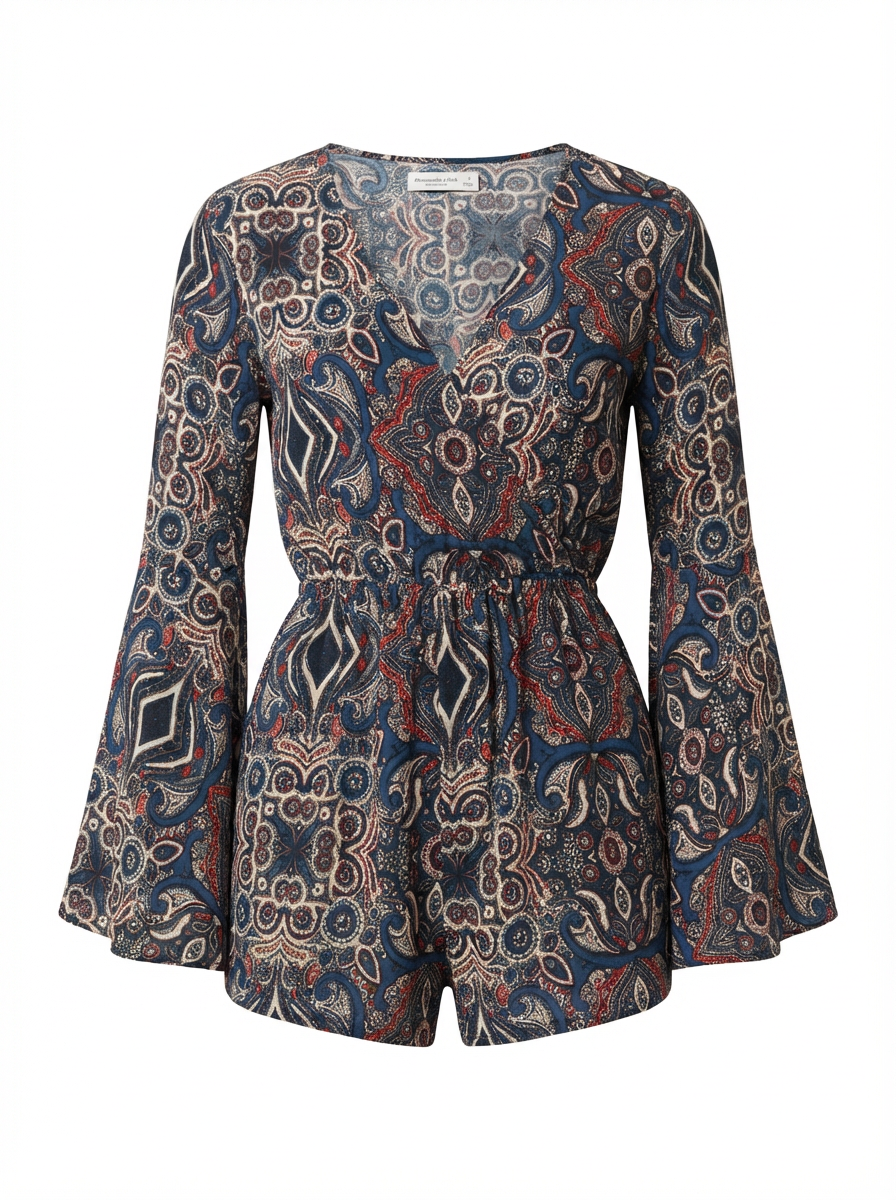
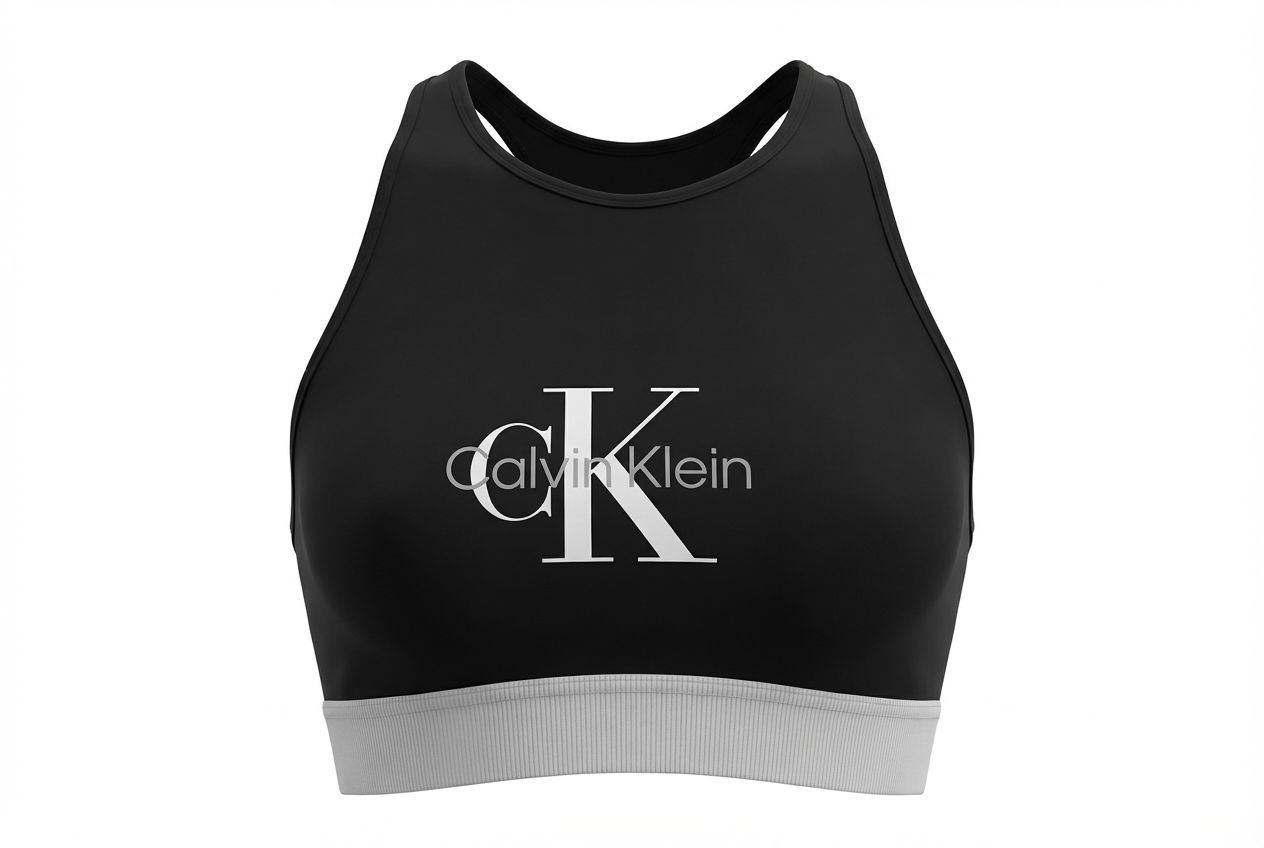
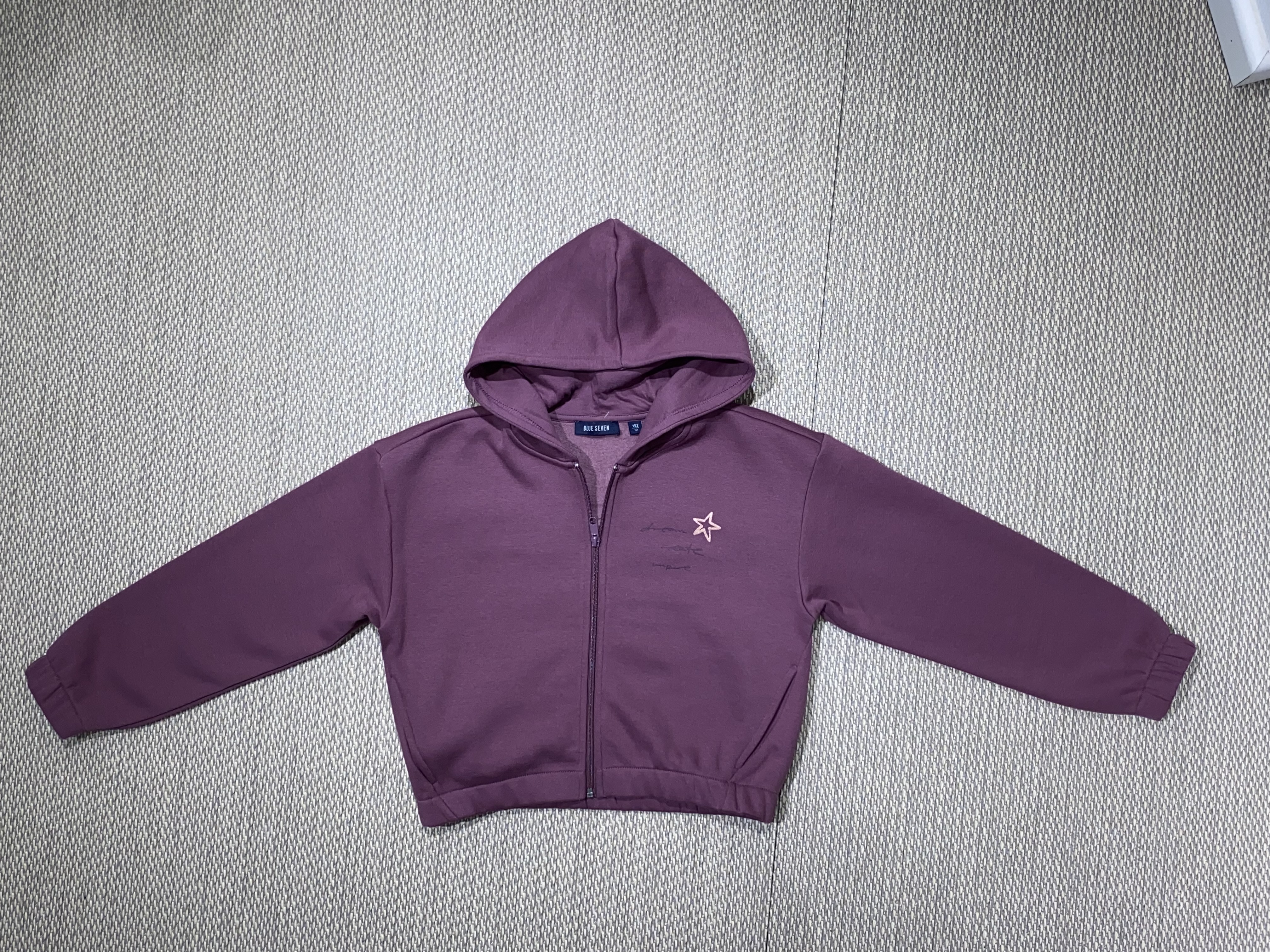
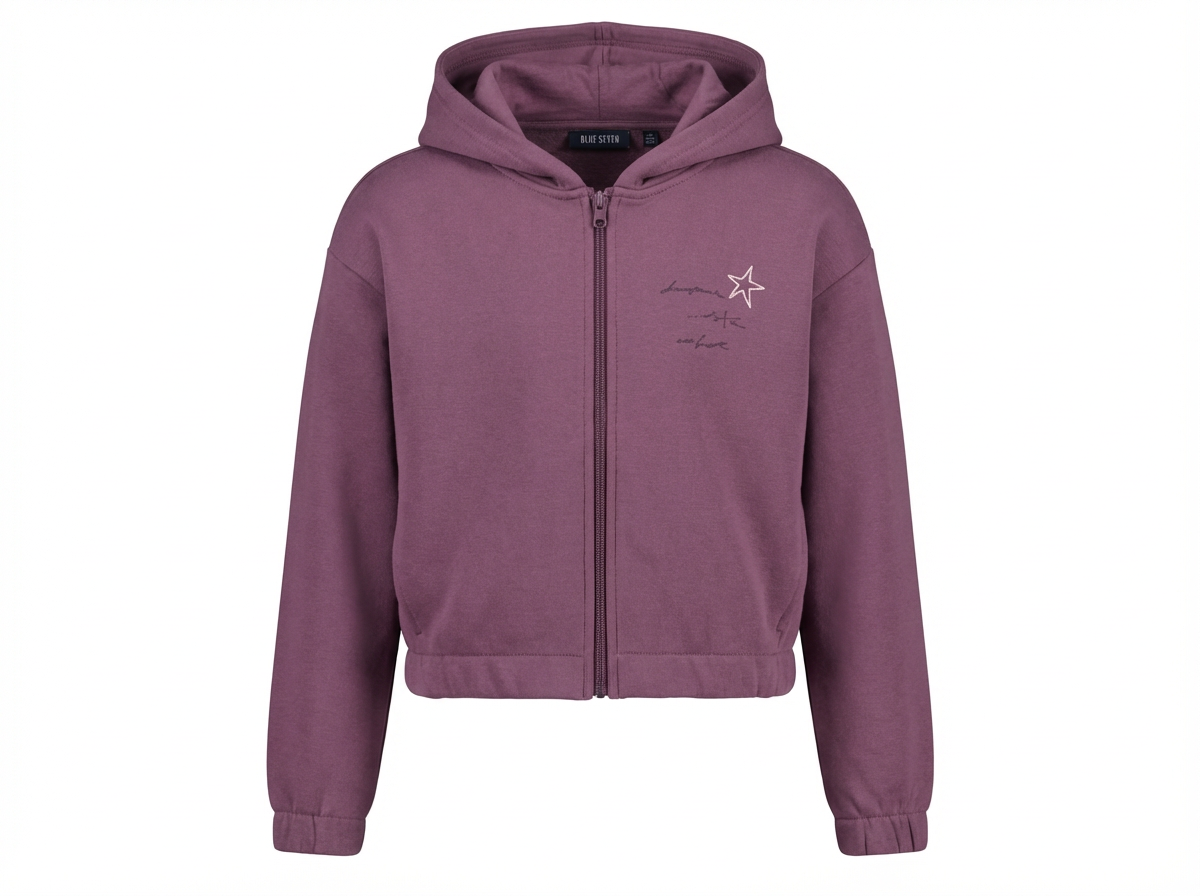
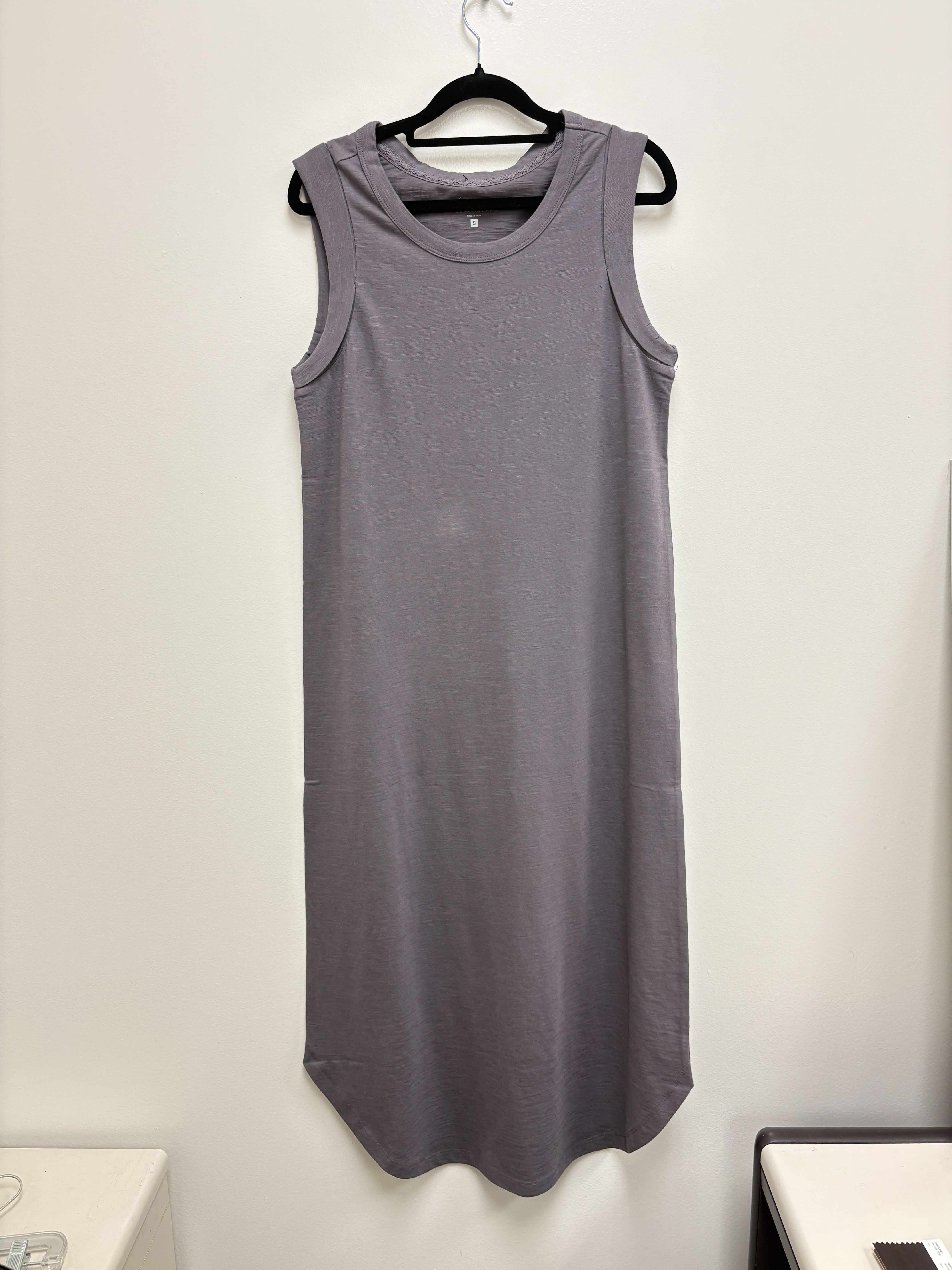
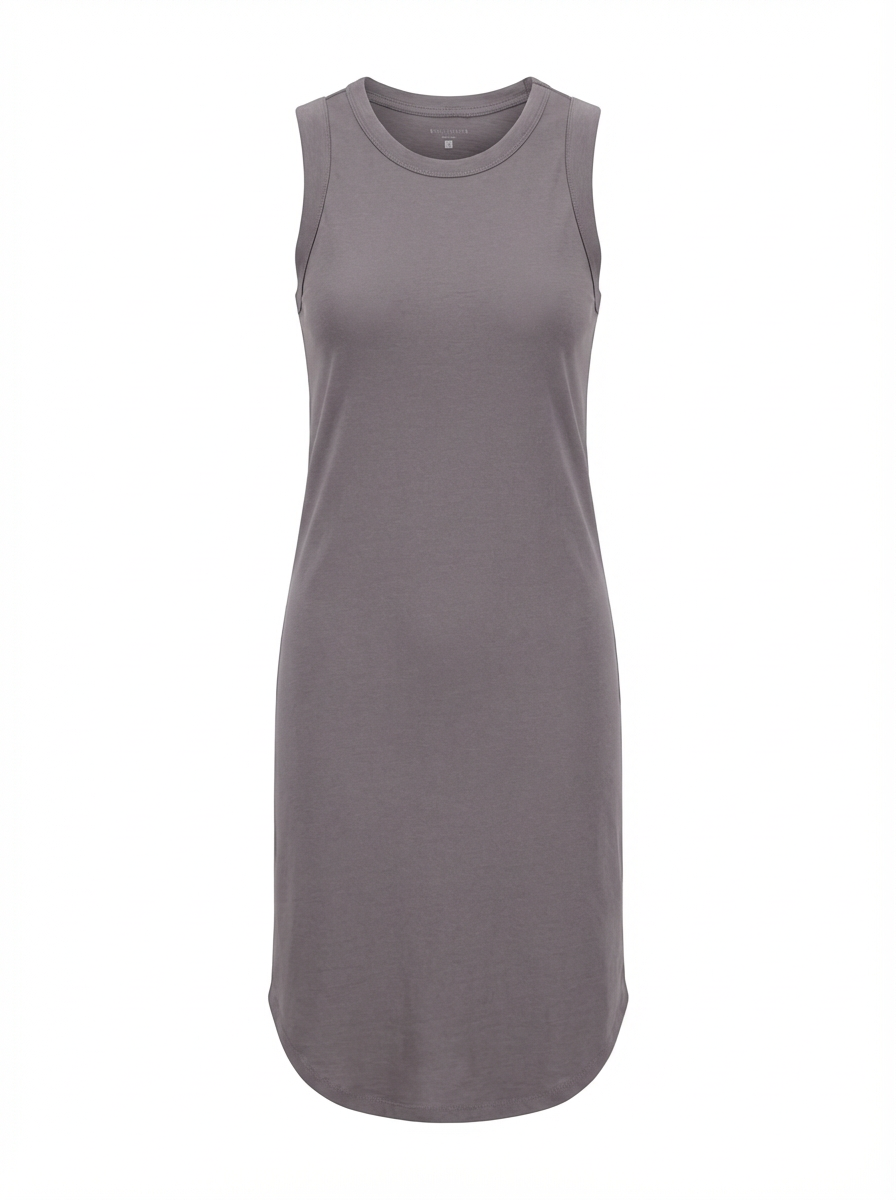
Neck Joint Results: Before & After
Before
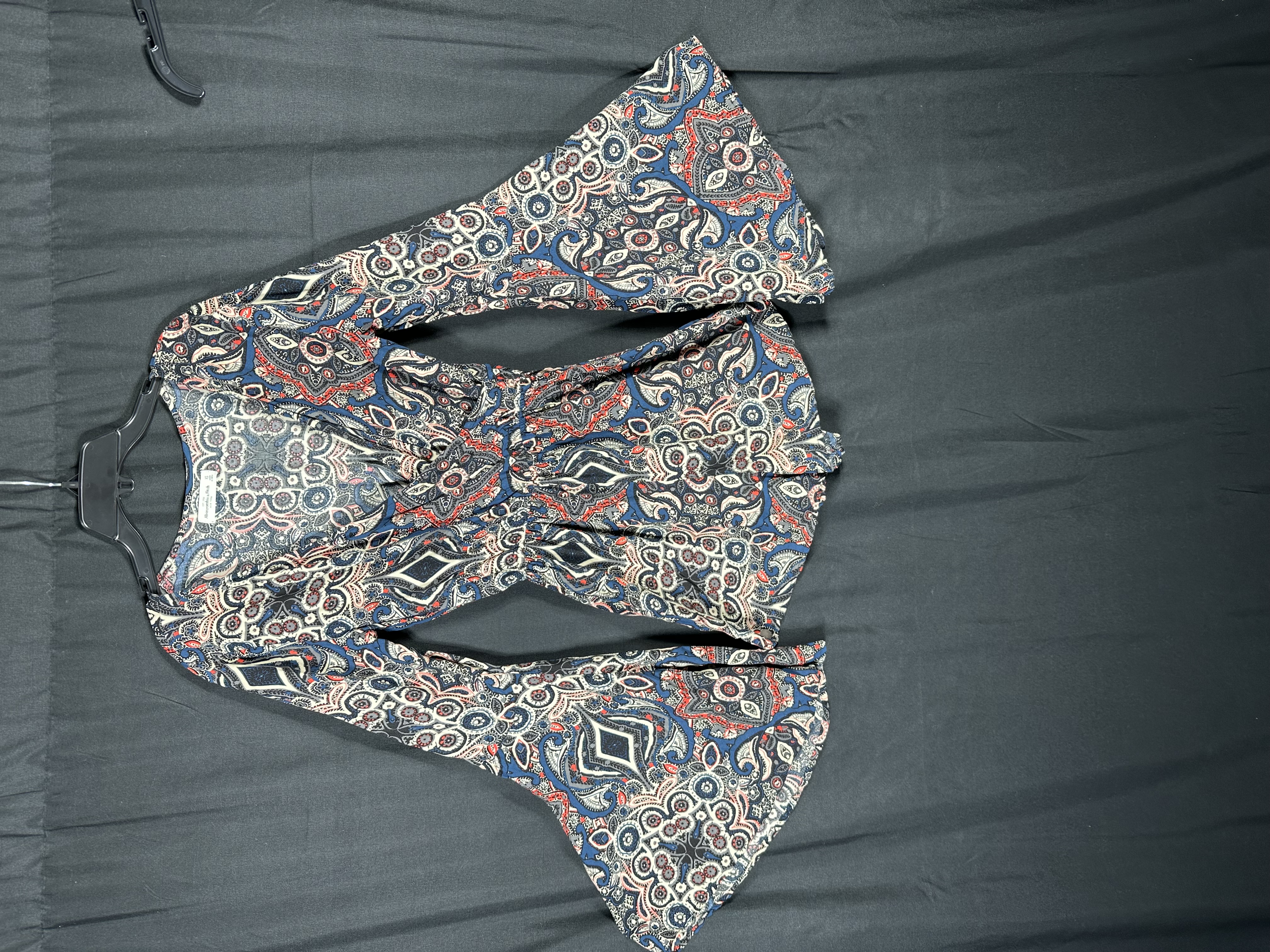
After
Before
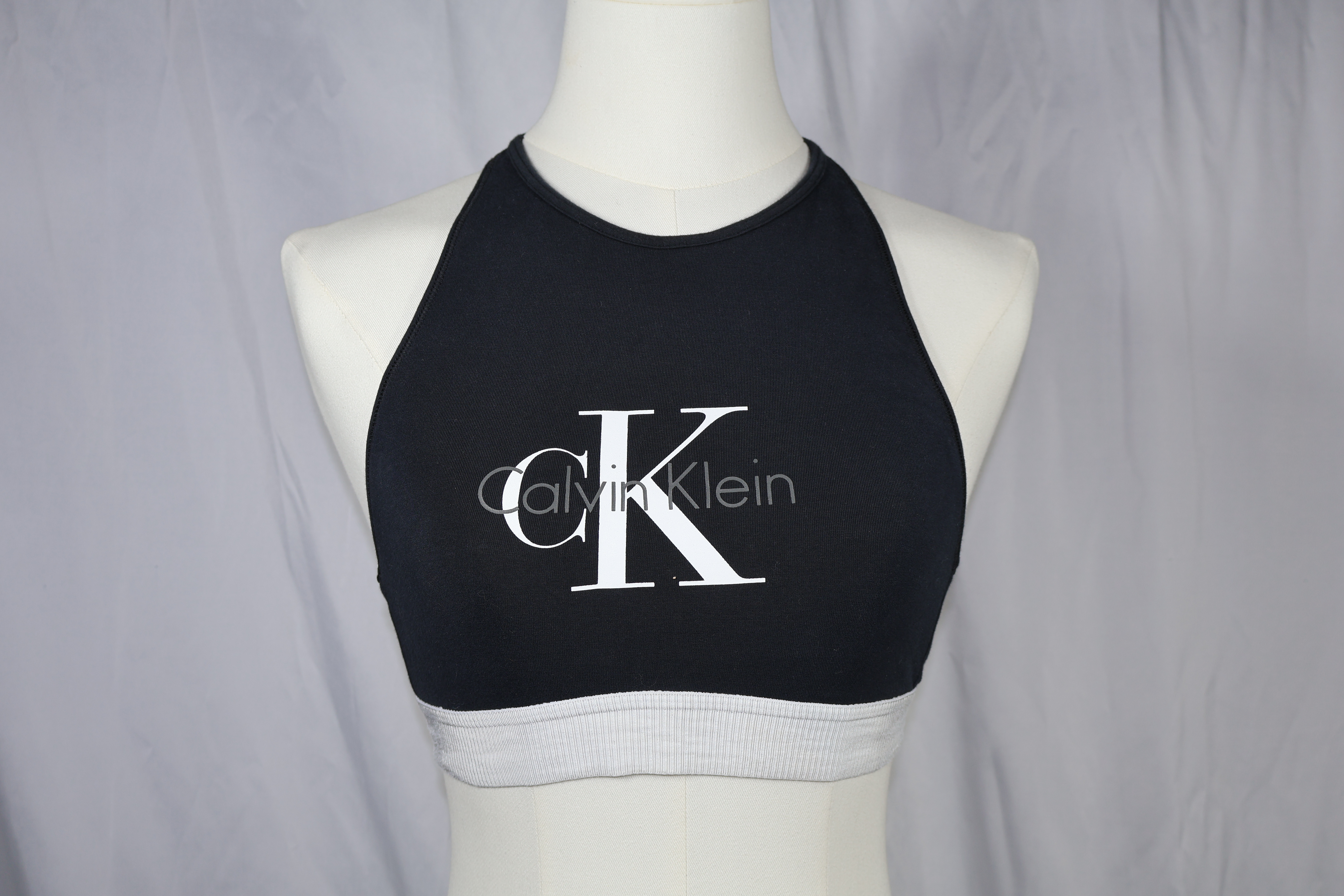
After
Before
After
Before
After
Garment Types That Need Neck Joint Editing
Any garment with a visible neckline or collar benefits from professional neck joint editing. Here are the most common categories.
T-Shirts & Polos
Crew necks, V-necks, and polo collars all require neck joint compositing to show the interior neckline and create the hollow 3D effect that customers expect on product listings.
Dress Shirts
Button-down and dress shirts have structured collars that demand precise neck joint work. The collar stand, spread, and button placement must align perfectly between the front and interior shots.
Jackets & Blazers
Outerwear with lapels, notch collars, and wide openings are among the most complex neck joint projects. The overlapping fabric layers require careful masking to look natural.
Dresses
From scoop necklines to high collars, dresses require neck joint editing to maintain the garment's silhouette while showing the interior neckline construction clearly.
Hoodies
Hoodies with drawstrings, hoods, and kangaroo pockets present unique neck joint challenges. The hood opening and drawstring hardware need to be preserved naturally during compositing.
Sweaters
Knit textures and ribbed necklines on sweaters require precise alignment during neck joint compositing so the knit pattern flows seamlessly from the front view into the interior shot.
How AI Neck Joint Editing Works
Three simple steps to go from raw mannequin photos to finished ghost mannequin images with perfect neckline composites.
Upload Front + Interior Shots
Photograph your garment on a mannequin from the front, then take a separate interior shot showing the inside of the collar and neckline. Upload both images to PixFocal.
AI Composites the Neck Joint
PixFocal's AI automatically masks the collar edge, aligns the interior neckline photo, matches perspective and lighting, reconstructs shadows, and blends the seam -- all in about 30 seconds.
Download Finished Image
Download your completed ghost mannequin image with a perfect neck joint composite. The image is ready for your online store, marketplace listing, or wholesale catalog.
Neck Joint Service FAQ
What is a neck joint in photography?
A neck joint is a post-production technique used in clothing photography where the interior neckline photo (showing the inside collar, label, and back of the garment) is composited with the front-facing mannequin shot. This creates a seamless hollow effect at the collar area, giving the garment a natural 3D appearance as if worn by an invisible person. It is the most technically demanding step in ghost mannequin editing because the two images must be blended perfectly at the neckline seam -- any misalignment, color mismatch, or unnatural shadow immediately draws the viewer's eye.
How is neck joint different from ghost mannequin?
Neck joint editing is a specific step within the broader ghost mannequin workflow. Ghost mannequin editing refers to the entire process of removing a mannequin from a garment photo to create a hollow, 3D product image -- including background removal, mannequin erasure, and bottom-hem compositing. Neck joint specifically refers to the compositing work at the collar and neckline area, where the interior shot is merged with the front shot. It is widely considered the most difficult and time-consuming part of ghost mannequin editing because misalignment or poor blending at the neckline is immediately noticeable to shoppers.
Do I need separate interior shots?
Yes, for a proper neck joint you need at least two photos of each garment: a front-facing shot on the mannequin and an interior shot showing the inside of the collar, neckline, and back panel. The interior shot is typically taken by folding back the collar area on the mannequin, or by removing the garment and photographing the inside neckline flat. Some photographers also shoot the garment from behind while still on the mannequin to capture the back panel. PixFocal's AI composites these shots automatically, aligning the neckline seam for a clean result. For a complete guide, see our ghost mannequin photography guide.
How much does a neck joint service cost?
Traditional neck joint services from freelance editors or outsourcing studios charge $3-$5 per image, with 24-48 hour turnaround times and often minimum order requirements of 50+ images. Rush orders typically cost extra. PixFocal's AI-powered neck joint service starts at $29/month with no per-image fees, processing each image in about 30 seconds. For high-volume sellers, this works out to roughly $0.29 per image or less depending on volume. See our product photography pricing guide for detailed comparisons.
How fast is AI neck joint editing?
PixFocal's AI processes neck joint composites in approximately 30 seconds per image. Traditional manual neck joint editing in Photoshop takes an experienced editor 15-30 minutes per garment because of the precise masking, alignment, and blending work required at the neckline -- and complex garments like blazers or hooded jackets can take even longer. With PixFocal, you can process an entire catalog of neck joints in minutes instead of days, which means you can list products on the same day you photograph them.
What garments need neck joint editing?
Any garment with a visible neckline or collar benefits from neck joint editing. This includes t-shirts, polo shirts, dress shirts, blouses, jackets, blazers, hoodies, sweaters, dresses, and tank tops. Essentially, if the garment has a collar, crew neck, V-neck, or any open neckline, neck joint editing creates a cleaner, more professional product image by showing the interior construction at the collar area. Even simple apparel photography setups benefit from proper neck joint compositing.
Neck Joint Editing by Garment Type
Different necklines need different approaches. PixFocal handles them all.
Automate Your Neck Joint Editing Today
Join 3,892+ brands using AI-powered neck joint editing. Plans from $29/month with results in seconds -- no Photoshop skills required.
Try it now - Free to start